Imágenes, texto y stickers.Images, text and stickers.Images, texte et stickers.
Mezcla la tinta con fotos, cajas de texto y stickers, todo en la misma nota.Mix ink with photos, text boxes and stickers, all in the same note.Mêlez l'encre aux photos, aux zones de texte et aux stickers, le tout dans la même note.


Cómo se usaHow it worksComment ça marche
-
Añade una foto y recórtalaAdd a photo and crop itAjoutez une photo et recadrez-la
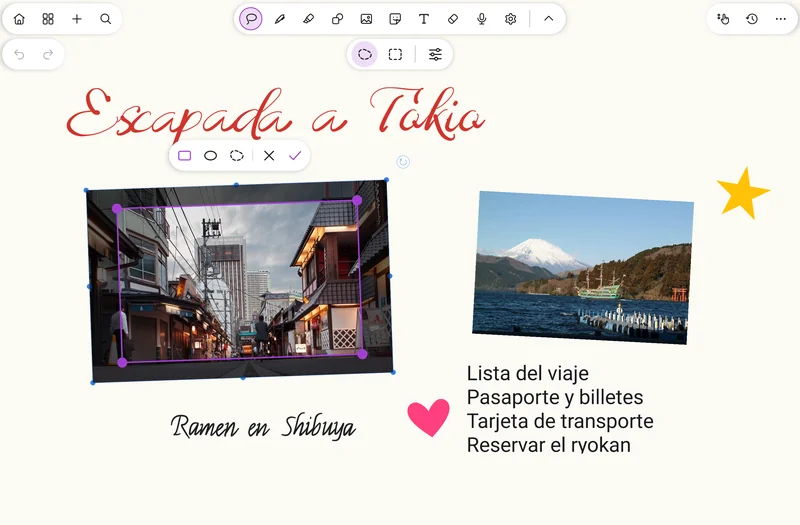
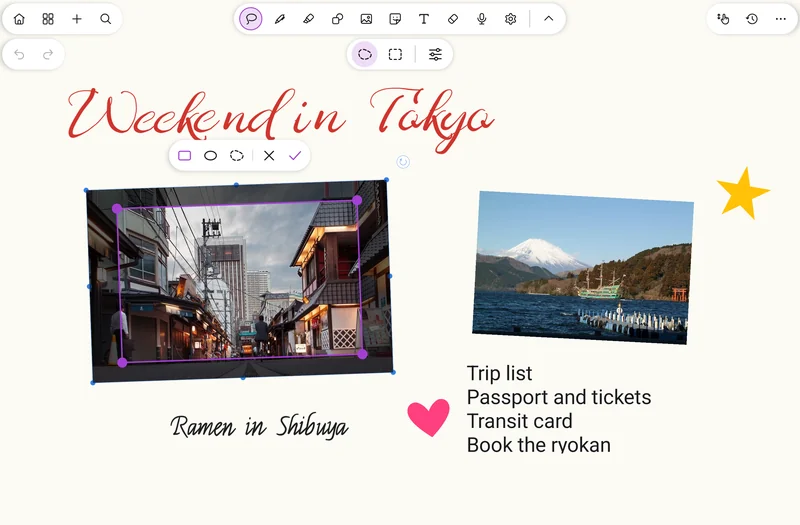
Añade fotos o escanea una hoja con la cámara. Recorta sobre la propia imagen con la barra flotante: rectángulo, óvalo o libre.Add photos or scan a sheet with the camera. Crop right on the image with the floating bar: rectangle, oval or freeform.Ajoutez des photos ou numérisez une feuille avec l'appareil photo. Recadrez directement sur l'image avec la barre flottante : rectangle, ovale ou libre.
-
Escribe con formatoWrite with formattingÉcrivez avec mise en forme
Crea una caja de texto y dale formato: el color, el tamaño y las fuentes están en la barra fija de arriba. Al exportar a PDF, el texto sigue siendo texto real.Create a text box and format it: color, size and fonts are in the fixed bar at the top. When you export to PDF, the text stays real text.Créez une zone de texte et mettez-la en forme : la couleur, la taille et les polices sont dans la barre fixe du haut. À l'export en PDF, le texte reste du vrai texte.
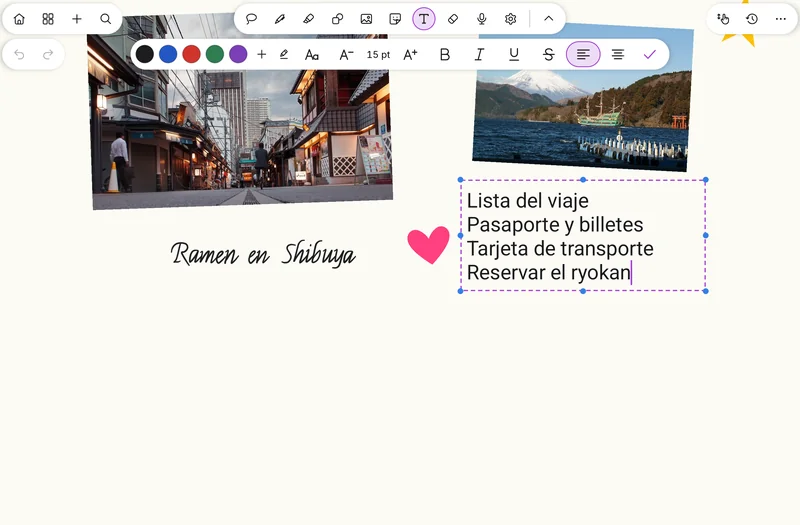
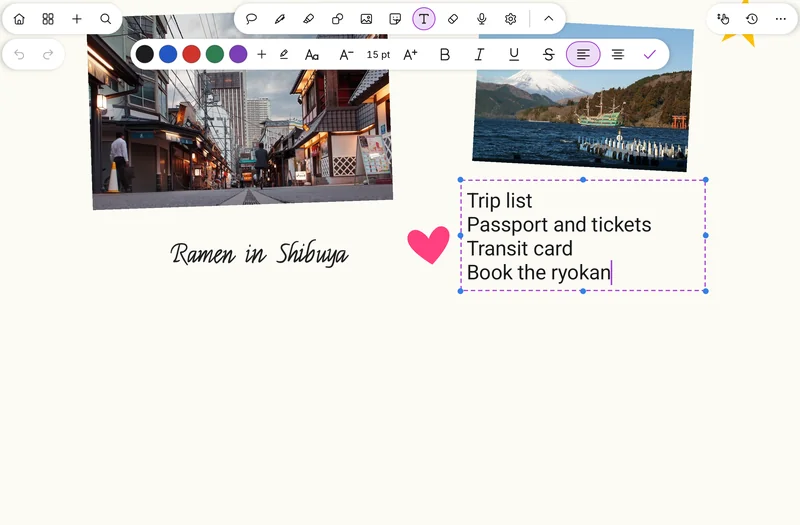
-
Decora con stickersDecorate with stickersDécorez avec des stickers
Los stickers son una herramienta aparte, con los 8 recientes a mano y el menú completo al tocarla otra vez.Stickers are a tool of their own, with the 8 most recent at hand and the full menu when you tap it again.Les stickers sont un outil à part, avec les 8 récents sous la main et le menu complet en le touchant à nouveau.
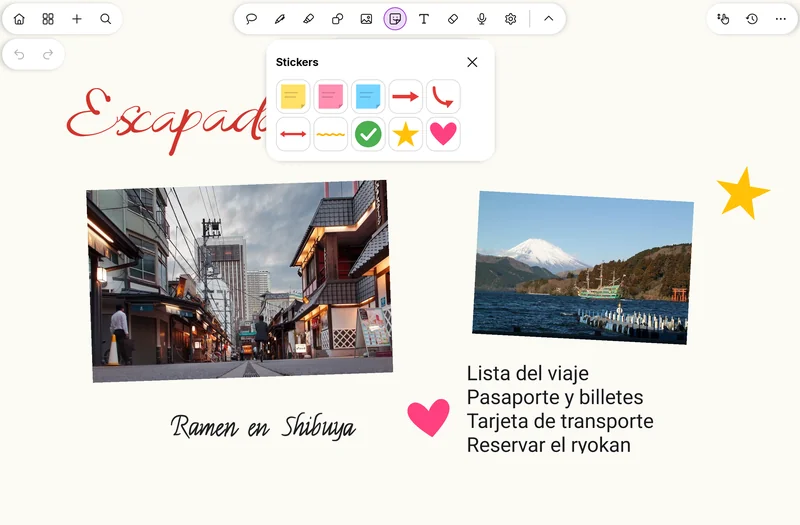
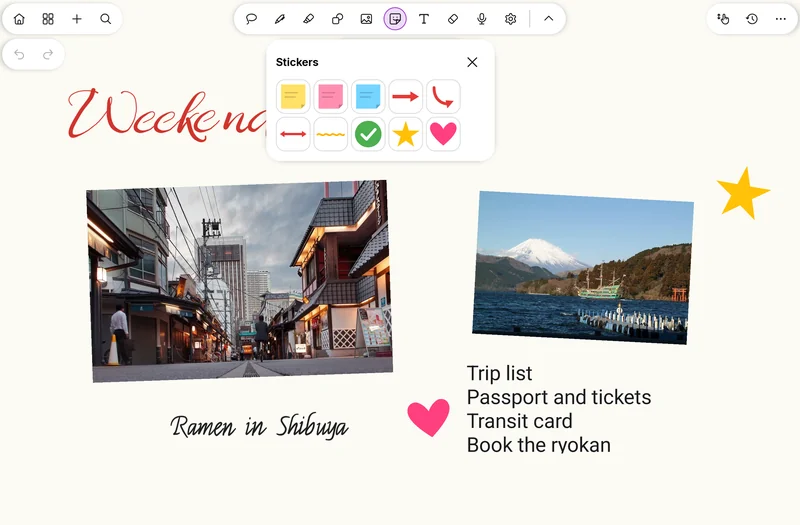


Los detallesThe detailsLes détails
- Añade fotos o escanea una hoja con la cámara.Add photos or scan a sheet with the camera.Ajoutez des photos ou numérisez une feuille avec l'appareil photo.
- Recorte sobre la propia imagen, con barra flotante: rectángulo, óvalo o libre.Crop right on the image, with a floating bar: rectangle, oval or freeform.Recadrage directement sur l'image, avec barre flottante : rectangle, ovale ou libre.
- Al reabrir un recorte ves la imagen original entera.Reopening a crop shows the whole original image.En rouvrant un recadrage, vous voyez l'image originale entière.
- «Recortar» y el candado, directos en la barra de selección."Crop" and the lock, right in the selection bar.« Recadrer » et le verrou, directement dans la barre de sélection.
- El candado fija una imagen para escribir encima sin moverla.The lock fixes an image so you can write over it without moving it.Le verrou fixe une image pour écrire dessus sans la déplacer.
- La goma tapa partes de una imagen sin estropearla.The eraser hides parts of an image without damaging it.La gomme masque des parties d'une image sans l'abîmer.
- Cajas de texto con formato: muévelas y estíralas incluso mientras las editas.Formatted text boxes: move and stretch them even while editing.Zones de texte mises en forme : déplacez-les et étirez-les même pendant la modification.
- Al seleccionar una caja, una barra mínima la borra; duplicar, girar o bloquear, desde «···».Select a box and a minimal bar lets you delete it; duplicate, rotate or lock from "···".En sélectionnant une zone, une barre minimale permet de la supprimer ; dupliquer, pivoter ou verrouiller, depuis « ··· ».
- Al pegar texto se crea una caja; la búsqueda y el .txt incluyen su texto.Pasting text creates a box; search and the .txt include its text.Coller du texte crée une zone ; la recherche et le .txt incluent son texte.
- Las cajas de texto se exportan a PDF con texto real.Text boxes export to PDF as real text.Les zones de texte s'exportent en PDF avec du vrai texte.
RelacionadasRelatedVoir aussi
Pruébalo ya.Try it now.Essayez-la maintenant.
SwiftPen ya está en Google Play. Descárgala gratis.SwiftPen is on Google Play. Download it for free.SwiftPen est sur Google Play. Téléchargez-la gratuitement.