

Escribe encima de tus PDF.Write right on your PDFs.Écrivez directement sur vos PDF.
Importa un PDF y anótalo como en papel: escribe, subraya y dibuja, y cada página conserva su propio tamaño.Import a PDF and mark it up like on paper: write, highlight and draw, and each page keeps its own size.Importez un PDF et annotez-le comme sur papier : écrivez, surlignez et dessinez, et chaque page garde son propre format.


Cómo se usaHow it worksComment ça marche
-
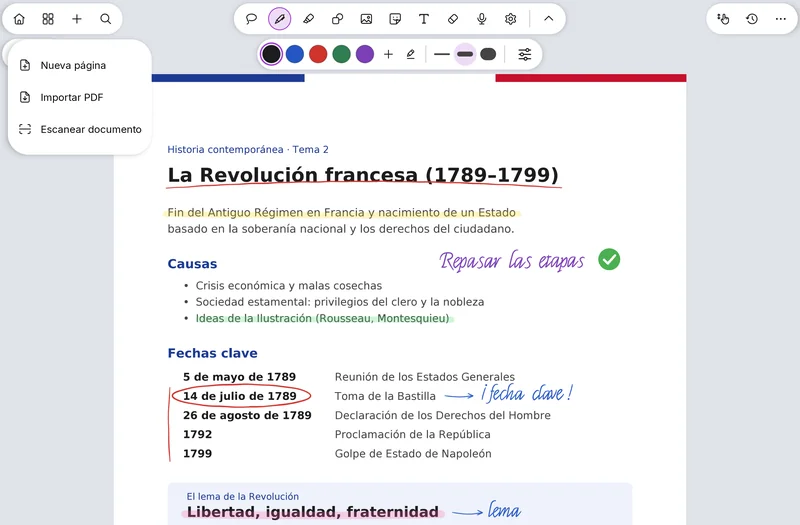
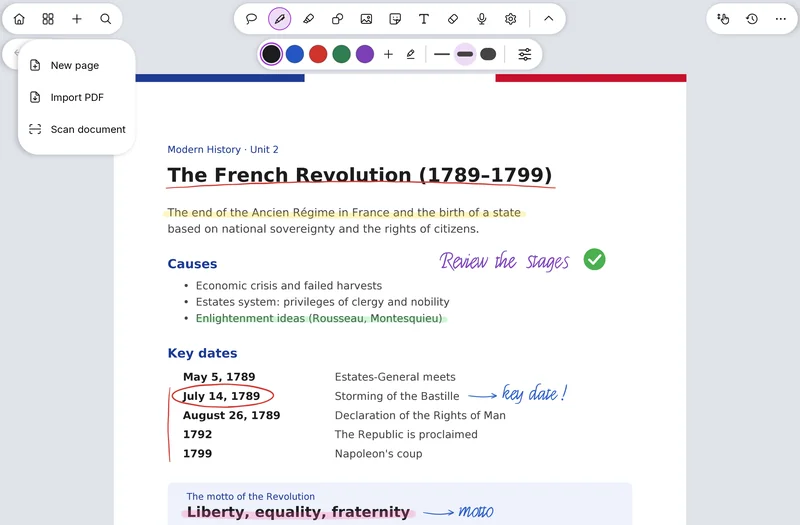
Importa tu PDFImport your PDFImportez votre PDF
Añade el PDF a una nota. Cada página mantiene el tamaño de su propio papel y su orientación, sin recortes ni márgenes de un A4.Add the PDF to a note. Each page keeps the size of its own paper and its orientation, with no A4 cropping or margins.Ajoutez le PDF à une note. Chaque page garde le format de son propre papier et son orientation, sans recadrage ni marges A4.
-
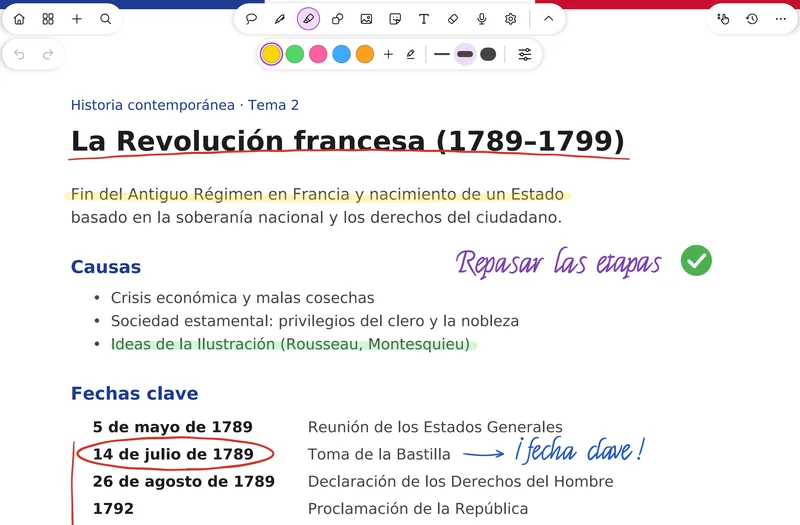
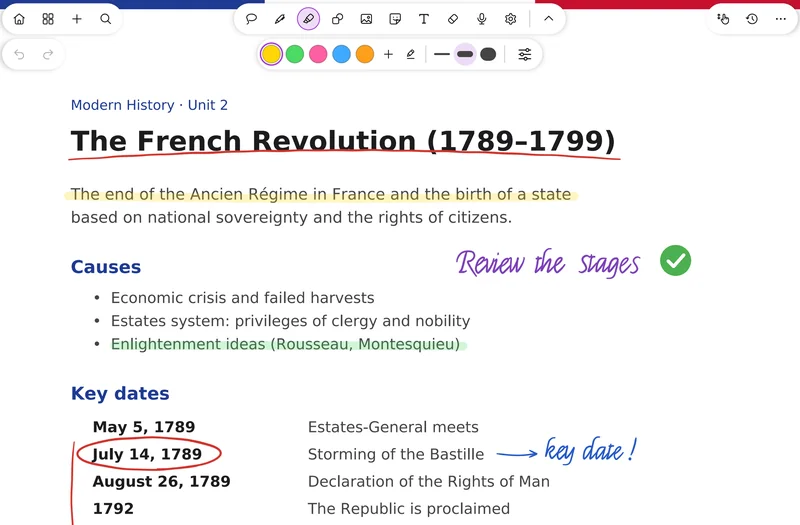
Escribe, subraya y dibujaWrite, highlight and drawÉcrivez, surlignez et dessinez
Anota con tus plumas y el resaltador como en cualquier nota. Los enlaces del PDF funcionan, también tocándolos con el lápiz (ajuste opcional).Mark it up with your pens and the highlighter as in any note. PDF links work, even when tapped with the pen (optional setting).Annotez avec vos stylos et le surligneur comme dans n'importe quelle note. Les liens du PDF fonctionnent, même touchés au stylet (réglage facultatif).
-
Ordena y expórtaloOrganize and export itOrganisez et exportez-le
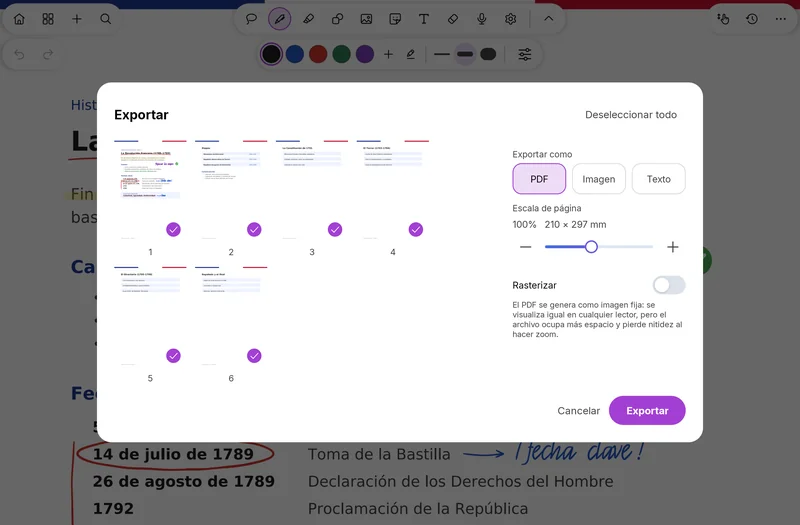
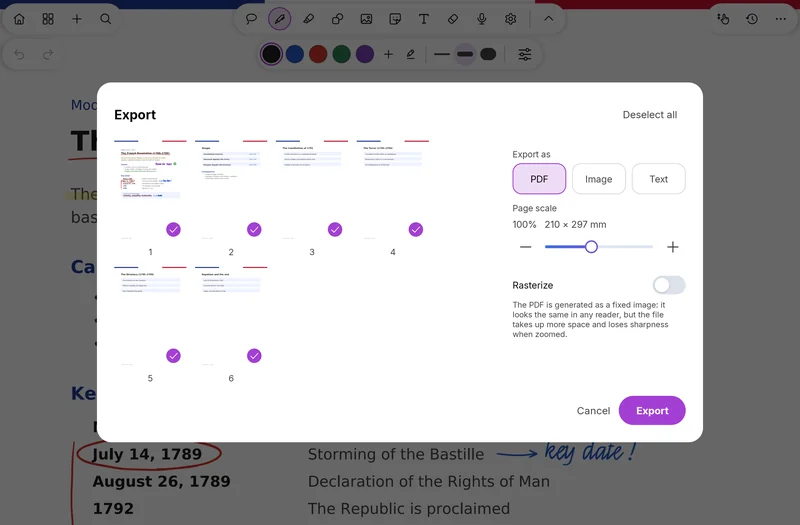
Desde la vista de todas las páginas puedes seleccionar varias a la vez o quitar el PDF entero. Al terminar, expórtalo a PDF o a imagen con tus anotaciones.From the all-pages view you can select several pages at once or remove the whole PDF. When you're done, export it to PDF or image with your notes on it.Depuis la vue de toutes les pages, vous pouvez en sélectionner plusieurs à la fois ou retirer le PDF entier. Une fois terminé, exportez-le en PDF ou en image avec vos annotations.


Los detallesThe detailsLes détails
- Escribe, subraya y dibuja sobre cualquier PDF.Write, highlight and draw on any PDF.Écrivez, surlignez et dessinez sur n'importe quel PDF.
- Cada página conserva el tamaño de su propio papel y su orientación.Each page keeps its own paper size and orientation.Chaque page garde le format de son propre papier et son orientation.
- Los PDF apaisados dejan pasar de página.Landscape PDFs let you turn pages.Les PDF au format paysage permettent de tourner les pages.
- Los hipervínculos se pueden tocar, y también abrir con el lápiz (ajuste opcional).Hyperlinks are tappable, and can also be opened with the pen (optional setting).Les hyperliens sont cliquables, et peuvent aussi s'ouvrir au stylet (réglage facultatif).
- Los enlaces internos, como un índice, funcionan en Android 15 y 16.Internal links, like a table of contents, work on Android 15 and 16.Les liens internes, comme une table des matières, fonctionnent sur Android 15 et 16.
- Los enlaces se ven con su color original.Links show their original color.Les liens affichent leur couleur d'origine.
- Los PDF pesados cargan más rápido, sin parpadeos ni hojas en blanco al desplazarte.Heavy PDFs load faster, with no flicker or blank sheets while you scroll.Les PDF lourds se chargent plus vite, sans scintillement ni feuilles blanches lors du défilement.
- En la vista de todas las páginas, selecciona varias a la vez o quita un PDF entero.In the all-pages view, select several pages at once or remove a whole PDF.Dans la vue de toutes les pages, sélectionnez plusieurs pages à la fois ou retirez un PDF entier.
- Exporta a PDF o a imagen, con tus anotaciones.Export to PDF or image, with your notes on it.Exportez en PDF ou en image, avec vos annotations.
RelacionadasRelatedVoir aussi
Pruébalo ya.Try it now.Essayez-la maintenant.
SwiftPen ya está en Google Play. Descárgala gratis.SwiftPen is on Google Play. Download it for free.SwiftPen est sur Google Play. Téléchargez-la gratuitement.