Escribe como en papel.Write like on paper.Écrivez comme sur papier.
Tinta sin retardo, plumas a tu medida y una goma que entiende lo que quieres borrar.Lag-free ink, pens tuned to you and an eraser that knows what you mean to erase.Une encre sans latence, des stylos à votre mesure et une gomme qui comprend ce que vous voulez effacer.


Cómo se usaHow it worksComment ça marche
-
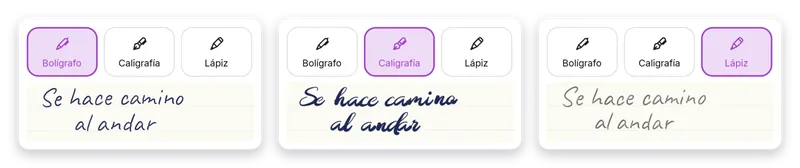
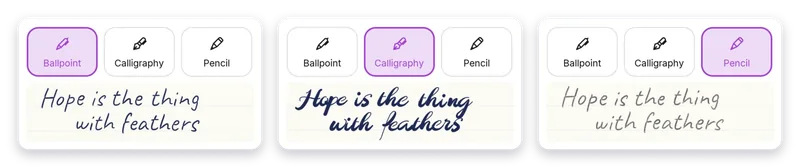
Elige tu pluma y su grosorPick your pen and its widthChoisissez votre stylo et son épaisseur
Bolígrafo, caligrafía, lápiz o trazo lleno. Cada pluma tiene su grosor propio, con botones −/+ junto al deslizador y presets.Ballpoint, calligraphy, pencil or solid stroke. Each pen has its own width, with −/+ buttons next to the slider and presets.Stylo bille, calligraphie, crayon ou trait plein. Chaque stylo a sa propre épaisseur, avec des boutons −/+ à côté du curseur et des préréglages.
-
Marca con colorMark it with colorMarquez en couleur
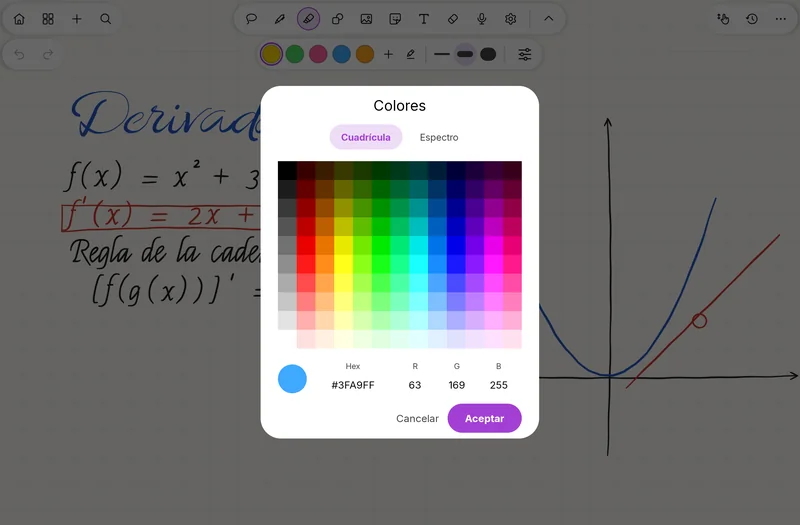
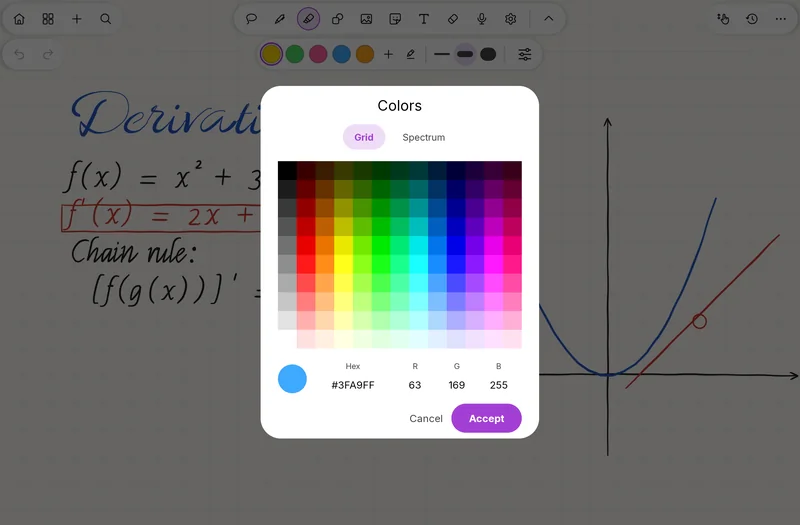
Subraya con el resaltador y mantén pulsado un color para abrir el selector y crear el tuyo.Highlight with the highlighter and press and hold a color to open the picker and make your own.Surlignez avec le surligneur et appuyez longuement sur une couleur pour ouvrir le sélecteur et créer la vôtre.
-
Borra a tu maneraErase your wayEffacez à votre façon
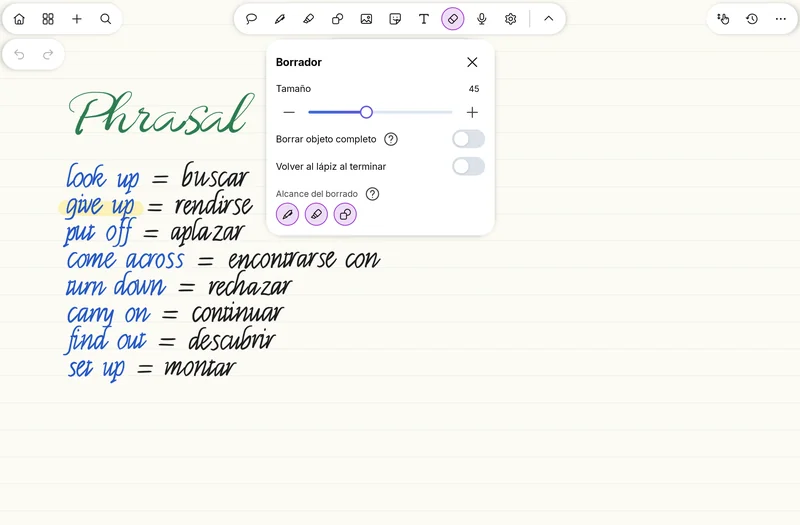
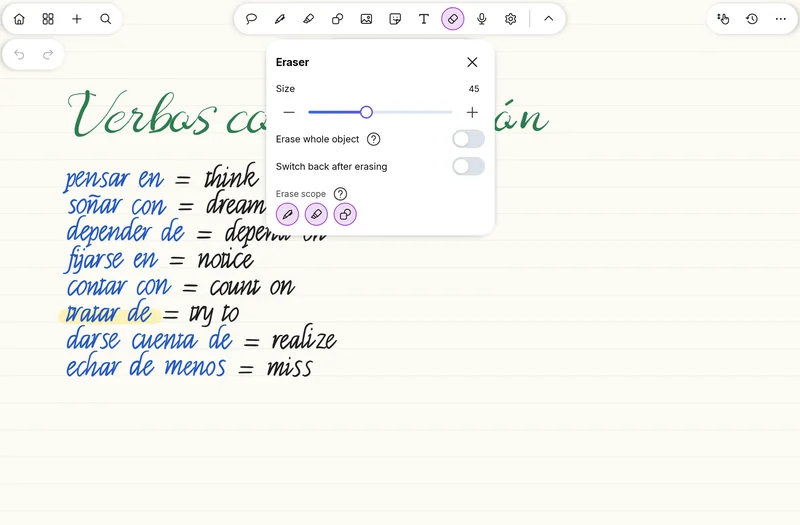
Ajusta el alcance de la goma, garabatea encima para borrar o usa el botón del lápiz para borrar al instante, sin cambiar de herramienta.Adjust the eraser's reach, scribble over to erase or use the pen button to erase instantly, without switching tools.Réglez la portée de la gomme, gribouillez par-dessus pour effacer ou utilisez le bouton du stylet pour effacer aussitôt, sans changer d'outil.


Los detallesThe detailsLes détails
- Tinta sin retardo: el trazo sale pegado a la punta del lápiz.Lag-free ink: the stroke stays glued to the pen tip.Encre sans latence : le trait colle à la pointe du stylet.
- Cuatro plumas: Bolígrafo, Caligrafía, Lápiz y trazo lleno.Four pens: Ballpoint, Calligraphy, Pencil and solid stroke.Quatre stylos : Bille, Calligraphie, Crayon et trait plein.
- Grosor propio para cada pluma, con botones −/+ junto al deslizador.Its own width for each pen, with −/+ buttons next to the slider.Une épaisseur propre à chaque stylo, avec des boutons −/+ à côté du curseur.
- Presets de grosor: mantén pulsado un acceso de grosor y se fija.Width presets: press and hold a width shortcut and it sticks.Préréglages d'épaisseur : appuyez longuement sur un raccourci d'épaisseur et il se fixe.
- Resaltador que conserva color, opacidad y grosor.A highlighter that keeps its color, opacity and width.Un surligneur qui conserve sa couleur, son opacité et son épaisseur.
- Colores a tu gusto: mantén pulsado un color para abrir el selector personalizado.Colors your way: press and hold a color to open the custom picker.Des couleurs à votre goût : appuyez longuement sur une couleur pour ouvrir le sélecteur personnalisé.
- Goma con alcance ajustable, y garabatear encima para borrar.Eraser with adjustable reach, and scribble over to erase.Gomme à portée réglable, et gribouillez par-dessus pour effacer.
- Con el botón del lápiz se borra al instante, sin levantar el lápiz.The pen button erases instantly, without lifting the pen.Avec le bouton du stylet, on efface aussitôt, sans lever le stylet.
- Ordena las herramientas de la barra: arrastrando o con flechas, y restaura el orden original.Reorder the toolbar tools: by dragging or with arrows, and restore the original order.Réorganisez les outils de la barre : en les faisant glisser ou avec les flèches, et rétablissez l'ordre d'origine.
- La barra se puede mover abajo, y hay un modo sin distracciones.The toolbar can be moved to the bottom, and there is a distraction-free mode.La barre peut être déplacée vers le bas, et il existe un mode sans distraction.
RelacionadasRelatedVoir aussi
Pruébalo ya.Try it now.Essayez-la maintenant.
SwiftPen ya está en Google Play. Descárgala gratis.SwiftPen is on Google Play. Download it for free.SwiftPen est sur Google Play. Téléchargez-la gratuitement.