

Rodea, mueve, reordena.Circle it, move it, rearrange it.Entourez, déplacez, réorganisez.
Rodea un esquema y llévatelo a otro sitio, a otra página o a otra nota, sin borrar y volver a empezar.Loop around a diagram and take it anywhere: another spot, page or note. No erasing and starting over.Entourez un schéma et emportez-le où vous voulez : ailleurs sur la page, sur une autre page ou dans une autre note. Sans tout effacer pour recommencer.


Cómo se usaHow it worksComment ça marche
-
Rodea y llévateloCircle it and take itEntourez et emportez
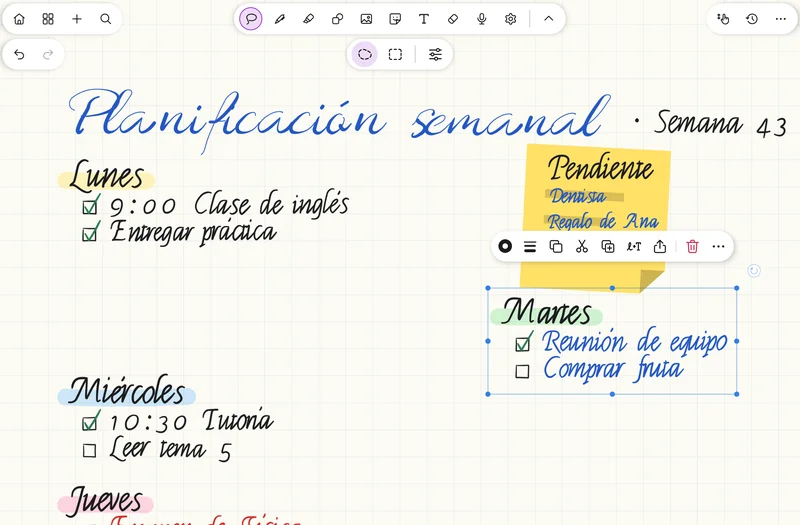
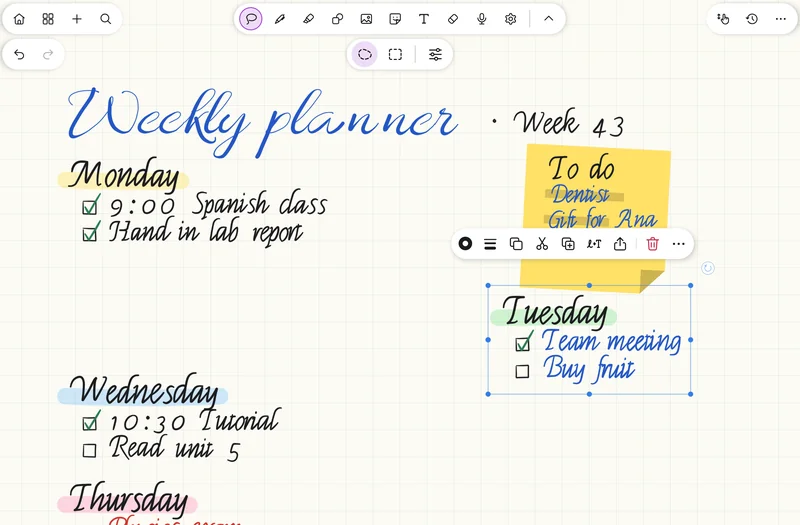
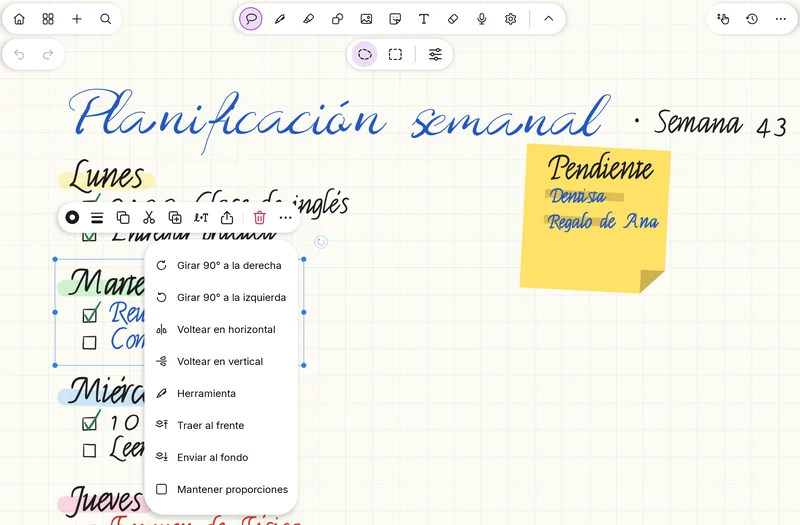
Elige el lazo en la barra, rodea un esquema o un párrafo y arrástralo donde quieras, o llévalo a otra página o a otra nota.Pick the lasso in the toolbar, circle a diagram or a paragraph and drag it wherever you like, or send it to another page or note.Choisissez le lasso dans la barre, entourez un schéma ou un paragraphe et faites-le glisser où vous voulez, ou envoyez-le sur une autre page ou dans une autre note.
-
Elige qué se seleccionaChoose what gets selectedChoisissez ce qui est sélectionné
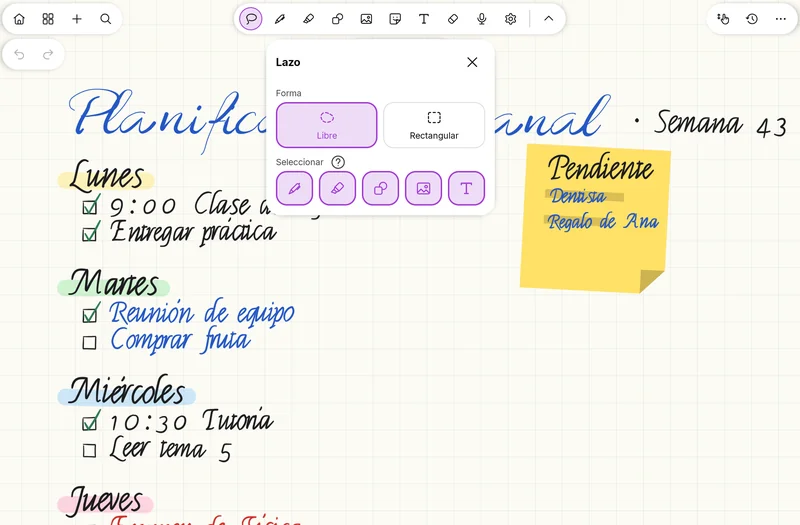
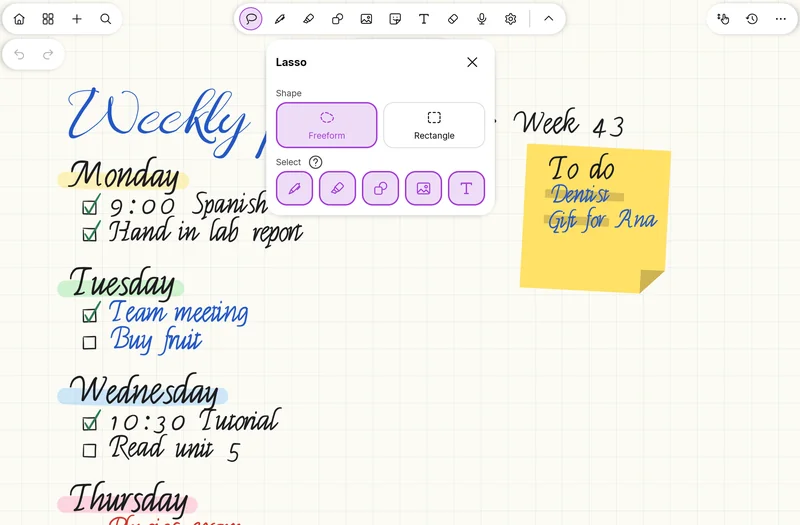
Con el filtro, el lazo coge solo la tinta, solo el resaltador, solo las formas o solo las imágenes. Así mueves un texto sin arrastrar su subrayado, o al revés.With the filter, the lasso picks up just ink, just highlights, just shapes or just images. So you can move text without dragging its highlight along, or the other way round.Avec le filtre, le lasso ne prend que l'encre, que le surligneur, que les formes ou que les images. Vous déplacez ainsi un texte sans emporter son surlignage, ou l'inverse.
-
Ajusta lo seleccionadoAdjust the selectionAjustez la sélection
Escálalo junto con el grosor del trazo, gíralo con el asa, voltéalo o cámbiale la herramienta, el grosor o el relleno sin volver a escribirlo.Scale it along with the stroke width, rotate it with the handle, flip it, or change its tool, width or fill without rewriting it.Redimensionnez-la avec l'épaisseur du trait, faites-la pivoter avec la poignée, retournez-la ou changez son outil, son épaisseur ou son remplissage sans la réécrire.


Los detallesThe detailsLes détails
- Mueve lo seleccionado a otra página o a otra nota.Move a selection to another page or another note.Déplacez la sélection sur une autre page ou dans une autre note.
- Filtro: solo tinta, solo resaltador, formas o imágenes.Filter: just ink, just highlights, shapes or images.Filtre : encre seule, surligneur seul, formes ou images.
- Copia, corta, duplica y pega con dos dedos.Copy, cut, duplicate and paste with two fingers.Copiez, coupez, dupliquez et collez à deux doigts.
- Ordena en capas: delante o detrás del resto.Arrange in layers: in front of or behind everything else.Organisez en calques : devant ou derrière le reste.
- Al escalar, el grosor del trazo escala con la selección; con «Mantener proporciones», nada se deforma.When you scale, the stroke width scales with the selection; with "Keep proportions", nothing gets distorted.Au redimensionnement, l'épaisseur du trait suit la sélection ; avec « Conserver les proportions », rien ne se déforme.
- Gira con el asa o desde el menú «···», y voltea.Rotate with the handle or from the "···" menu, and flip.Faites pivoter avec la poignée ou depuis le menu « ··· », et retournez.
- Cambia la herramienta, el grosor o el relleno de lo seleccionado.Change the tool, width or fill of what you selected.Changez l'outil, l'épaisseur ou le remplissage de la sélection.
- La barra de acciones aparece junto a la selección, sin taparla.The action bar sits next to the selection without covering it.La barre d'actions s'affiche à côté de la sélection, sans la masquer.
- Sus propios ajustes, desde el engranaje de la herramienta.Its own settings, from the tool's gear icon.Ses propres réglages, depuis la roue dentée de l'outil.
RelacionadasRelatedVoir aussi
Pruébalo ya.Try it now.Essayez-la maintenant.
SwiftPen ya está en Google Play. Descárgala gratis.SwiftPen is on Google Play. Download it for free.SwiftPen est sur Google Play. Téléchargez-la gratuitement.